What is MVC Architecture and How to Use It in Development
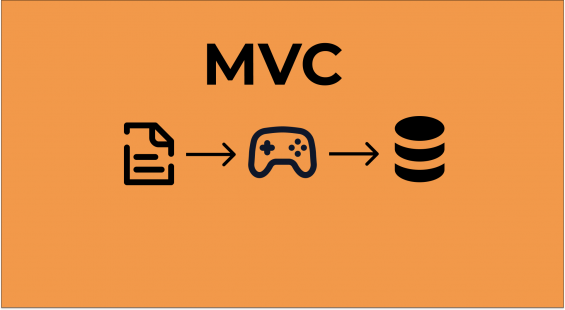


MVC (Model-View-Controller) is a design pattern that is widely used in software development to organize code and separate responsibilities within an application. This pattern helps developers create scalable, maintainable, and testable software. Let’s explore what MVC is, how it works, and how you can use it in your projects.
1. What is MVC Architecture?
MVC is a design pattern that divides an application into three interconnected components:
- Model: Manages the data, logic, and rules of the application. It interacts with the database or data source.
- View: Displays the user interface and presents the data to the user. It focuses on how the data is represented.
- Controller: Handles user input, interacts with the model, and updates the view based on the user’s actions.
This separation of concerns allows developers to work on each component independently, making the codebase easier to maintain and scale.
2. Why Use MVC Architecture?
MVC offers several advantages:
- Separation of Concerns: Each component has a clear responsibility, reducing code complexity.
- Reusability: Views and models can be reused across different parts of the application.
- Testability: Isolating components makes it easier to write unit tests.
- Scalability: The architecture is well-suited for large applications.
3. How Does MVC Work?
Here’s how MVC components interact:
- The user interacts with the interface (View) by clicking a button or entering data.
- The Controller receives the user’s input and processes it.
- The Controller interacts with the Model, which retrieves or modifies the data.
- The Model sends the updated data back to the Controller.
- The Controller updates the View to reflect the changes.
This flow ensures a clear division between user interface logic and business logic.
4. Components of MVC
Model
- Represents the data and business logic of the application.
- Interacts with the database or external APIs.
- Does not depend on the View or Controller.
Example (in JavaScript):
class UserModel {
    constructor() {
        this.users = [];
    }
    addUser(user) {
        this.users.push(user);
    }
    getUsers() {
        return this.users;
    }
}
View
- Handles the presentation layer of the application.
- Displays data from the Model to the user.
- Does not handle business logic.
Example (HTML + JavaScript):
<div id="userList"></div>
<script>
    function renderUsers(users) {
        const userList = document.getElementById("userList");
        userList.innerHTML = users.map(user => `<p>${user}</p>`).join('');
    }
</script>
Controller
- Acts as a bridge between the Model and the View.
- Processes user input and updates the Model or View accordingly.
Example (in JavaScript):
class UserController {
    constructor(model, view) {
        this.model = model;
        this.view = view;
    }
    addUser(user) {
        this.model.addUser(user);
        this.view.renderUsers(this.model.getUsers());
    }
}
5. How to Use MVC in Your Project
Step 1: Define the Model
Create a class or module to handle the application’s data and logic. For example, in a blog application, you might have models for Post and Comment.
Step 2: Create the View
Design the user interface to display the data. Use HTML, CSS, and JavaScript to create interactive elements.
Step 3: Set Up the Controller
Write a controller to handle user input and connect the View and Model. The controller listens for events (e.g., button clicks) and triggers updates to the Model or View.
Step 4: Link Components
Combine the components so they can interact seamlessly. For example, instantiate the Model, View, and Controller in a central application file.
Example:
const model = new UserModel();
const view = { renderUsers }; // Using the renderUsers function
const controller = new UserController(model, view);

controller.addUser("Alice");
controller.addUser("Bob");
6. Real-World Example of MVC
Example: Blog Application
- Model: Handles fetching and storing blog posts in a database.
- View: Displays the list of blog posts and a form to add new posts.
- Controller: Processes form submissions, updates the database, and refreshes the list of posts on the page.
Frameworks Using MVC
Many frameworks follow the MVC pattern, including:
- Ruby on Rails (Ruby)
- Laravel (PHP)
- Django (Python)
- ASP.NET MVC (C#)
- Spring MVC (Java)
7. Pros and Cons of MVC
Pros:
- Clear separation of concerns
- Easy to test and debug
- Scalable architecture
Cons:
- Requires more boilerplate code compared to other patterns.
- Can be complex for small applications.
Conclusion
MVC is a powerful design pattern that can simplify the development and maintenance of applications, especially as they grow in size and complexity. By separating concerns into Models, Views, and Controllers, developers can build robust, scalable, and testable applications. If you’re working on a new project, consider using the MVC pattern to structure your code.
This structure explains MVC in simple terms and provides practical examples to help beginners understand and apply the pattern in their projects.